Google started a big update to its search rankings on November 10. It's called a core update, and Google says it can take up to two weeks to finish. In plain terms, Google is re-deciding which pages best answer a search, so sites can move up or down while it rolls out.
To be honest, I'm not sure too many small businesses are looking at their Google ranking. I don't even look at mine. I don't even know how to find mine.
So instead of worrying about rankings, I opened something every business with a Google listing already has: the Performance page on my Google Business Profile. It shows how many people found you on Google and what they did next, like asking for directions, clicking through to your website, or tapping the call button.
What my numbers said
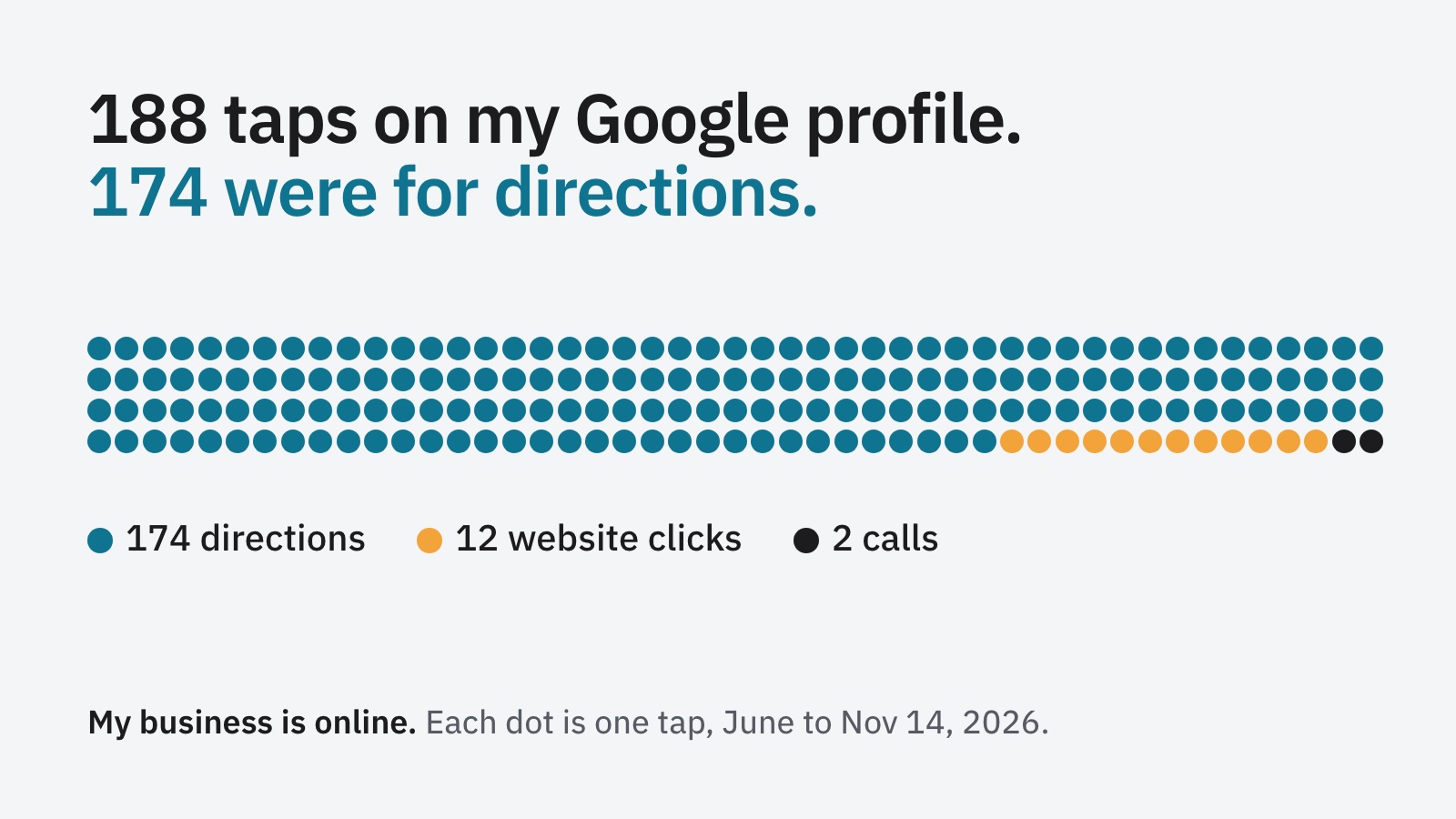
From June to now, my profile had 188 interactions:
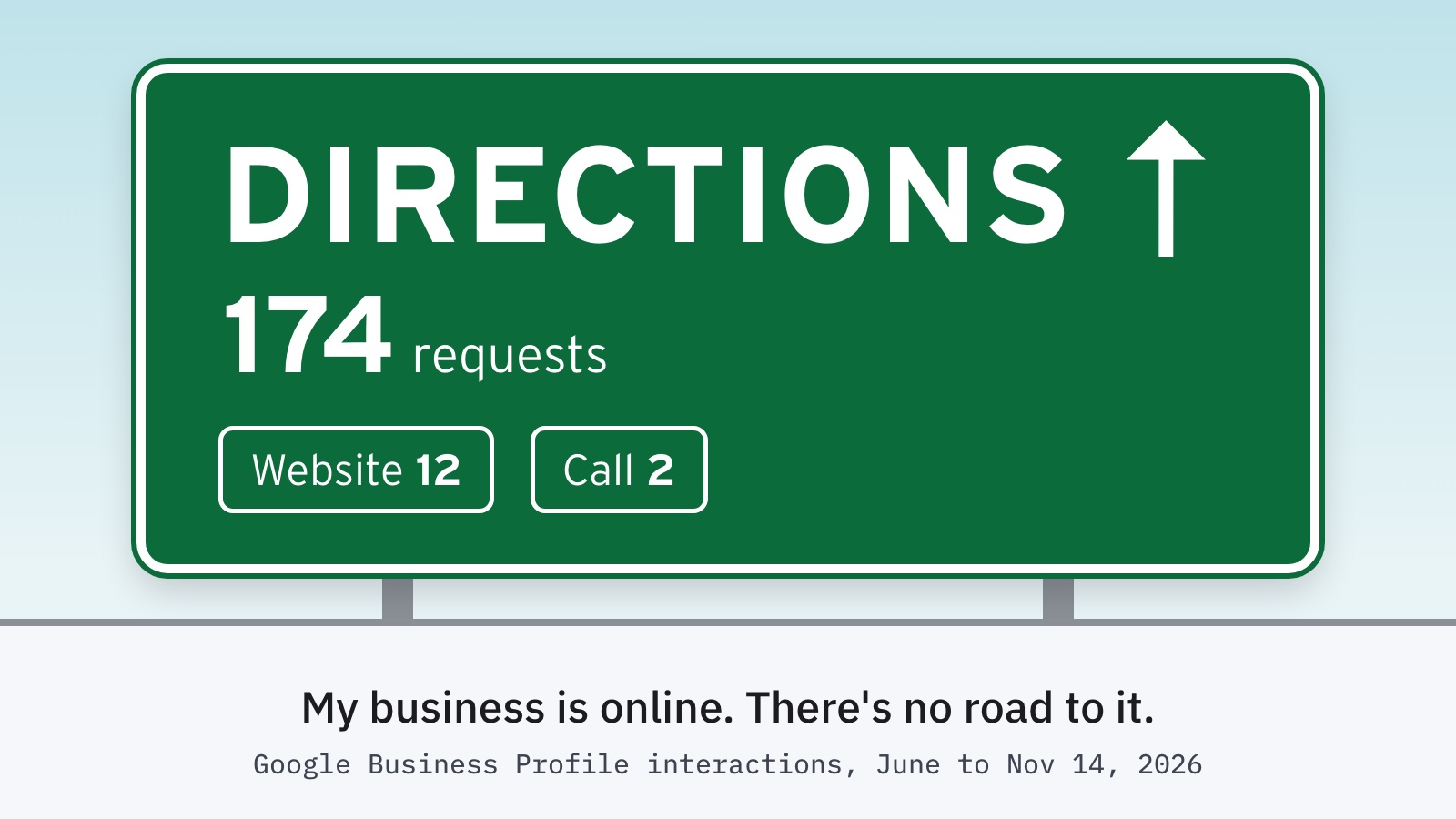
- 174 were direction requests
- 12 were website clicks
- 2 were calls
That's useful information, but it's not ideal. My business is online. Nobody needs directions to it.
The stat I cared about most was website clicks, and I compared it to the traffic in my website analytics. I get much less website traffic from my Google profile than from social media.
Why so many directions?
I have no idea who the 174 people are, and I'm not even sure Google will tell me. What I do know is that when I set up the profile, I thought adding an address would make it stronger, so I did. After having it set up that way for a while, I'm not sure it actually matters if you aren't a brick and mortar business.
Google's own rules turn out to be clear on this. Its help page says: "If your business doesn't have a storefront where you receive customers, you must hide your business address."
So I switched mine off. It was easy. When you edit your profile, it's the first setting under the Location and areas section, a toggle to turn off showing your address. Once it's hidden, you can list the areas you serve instead, up to 20 cities or ZIP codes.
What to check on yours
Open your Performance page and look at what people actually do. If the numbers don't match how your customers really reach you, something in your profile probably needs to change. If you mostly see direction requests and you don't have a shop, check your address setting.
One more thing: Google only counts a call when someone taps the Call button on your profile. If they dial your number by hand, it doesn't show up.
And the ranking update?
It will finish on its own, and if your phone is still ringing, you probably don't need to do anything. I'll check my numbers again in a few weeks and see what changed after hiding my address.
Have you ever opened your own Performance page? What surprised you?
The JDX newsletter
Liked this? Get 15% off your Starter deposit, plus the next one by email.
A one-time code for 15% off your Starter site deposit, plus plain-spoken posts from a veteran-owned shop.
About once or twice a month. Unsubscribe anytime.